Every kind of code
The right action for each one
Websites, Wi-Fi networks, contact cards, calendar events, email, phone numbers, text messages, locations and product barcodes. Each opens with a one-tap action, and nothing opens until you choose to.
Peek QR · Safe Code Scanner
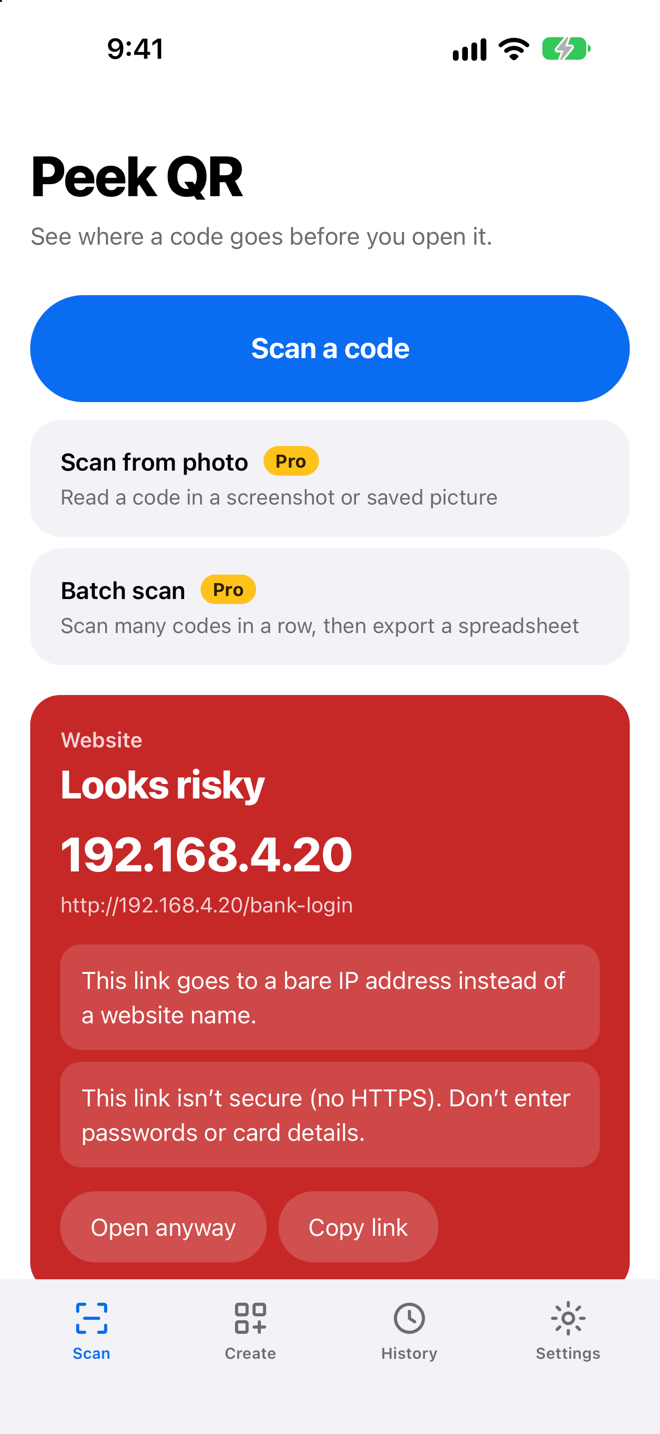
Scan any QR code or barcode and Peek QR shows you the real destination first. Look-alike addresses, hidden destinations and other common QR scam tricks are flagged before you tap.
Peek QR is available now for iPhone. Camera scanning is free and unlimited, with no ads and no account.
Before you tap
Link types that can run code or open other apps are blocked outright. The check looks for warning signs in the link itself, on your phone. It can’t promise a website is safe, so stay careful with any page that asks for a password or payment.
Every kind of code
Websites, Wi-Fi networks, contact cards, calendar events, email, phone numbers, text messages, locations and product barcodes. Each opens with a one-tap action, and nothing opens until you choose to.
Private by design
No account, no ads, no tracking and no analytics. Scans and history are stored only on your device, and the safety check runs there too. Nothing you scan leaves the device unless you open, share or export it.
Read the Peek QR Privacy Policy →Peek QR Pro
An optional upgrade adds QR code creation with your own colours and logo, batch scanning with spreadsheet (CSV) export, and scanning codes from photos and screenshots. Buy it once with Lifetime and keep it, with no subscription, or choose a yearly or weekly plan. Prices are shown in the app before you buy.
Peek QR support
No. Scans, history, batches and settings are stored only on your device, and links are checked on your device. Content leaves Peek QR only when you choose to open a link, place a call, write an email, or share or export something.
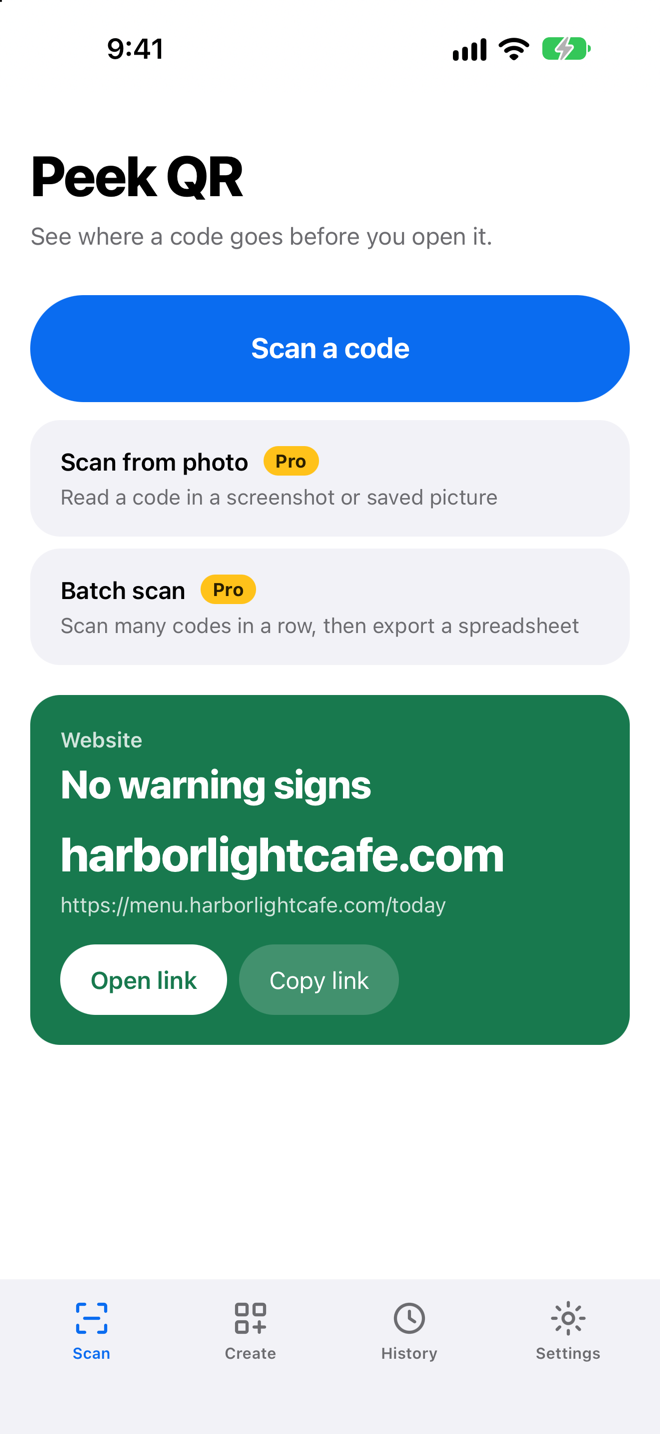
No. It means Peek QR found none of the tricks it looks for in the address. A site with a normal-looking address can still be harmful, so never enter a password or card details on a page you reached from a code you don’t trust.
Links that can run code or open other apps, such as javascript: links, are blocked. For other links, Peek QR only opens them when you tap Open link or Open anyway.
Open the Settings tab in Peek QR. Turn off Save scan history to stop saving, or choose Clear history to delete it. Deleting the app also deletes everything it stored.
Batch scanning is part of Peek QR Pro. Choose Batch scan on the Scan tab, scan your codes, then choose Export CSV to share a spreadsheet file. An open batch is saved on your device, so it is still there if the app closes.
Only if you want it to be. Lifetime is a single payment that unlocks Pro for good, with nothing to renew or cancel. The Yearly and Weekly plans are subscriptions that renew automatically until you cancel.
To restore a purchase on a new device, open the Settings tab in Peek QR and choose Restore purchases. Lifetime has nothing to cancel. Subscriptions are managed by Apple: cancel at least 24 hours before the end of the current period by choosing Manage or cancel subscription in Peek QR’s Settings tab, or in Settings › Apple ID › Subscriptions on your iPhone.
Still need help?
Include your iPhone model and what you scanned. We aim to respond within 1–2 business days.